Most action prompts for AI video fail for one reason: they ask for too much. The subject does three things, the camera does two, and the model picks none of them cleanly. The fix is small. Pick one verb for the subject, add one camera behaviour, and split anything bigger into shots.
This post gives you a plain test for the verb, a way to handle the camera, and a before-and-after you can copy.
Why a busy prompt leaves the subject doing nothing clear
A video model has a short clip to fill. If your prompt holds a list of steps, a mood and two camera moves, the clip can't hold them all. You get hesitation, drift or a sudden change of frame.
One poster on a Stable Diffusion forum (a reader report, May 2026) wrote a very simple prompt: a man climbs up out of the pool. The result was hesitation, then a climb back down a ladder. The prompt was short, so length wasn't the problem. The verb was.
Start with one verb that can unfold on screen
Google's Veo prompt guide treats the action as the verb of the video. It covers movement, interaction and expression (checked November 2026). That is a useful way to think about it: the action is your first decision, not an afterthought.
A test for the verb comes from a Pippit article dated 14 September 2026 (checked November 2026). It says to use one main action per clip, with a verb that can unfold during the clip. It also says abstract goals, such as feeling inspired, give the model little to show on screen.
Use this test on every verb:
- Can you film it in a few seconds?
- Does it start and end in view?
- Can you say it without a feeling or an outcome?
"Walks to the window" passes. "Feels hopeful" fails. "Finishes the job" fails too, because nothing is on screen to see.
One subject, one verb, one place. Everything else in the line only supports the walk.
Say whether the camera moves or stays still
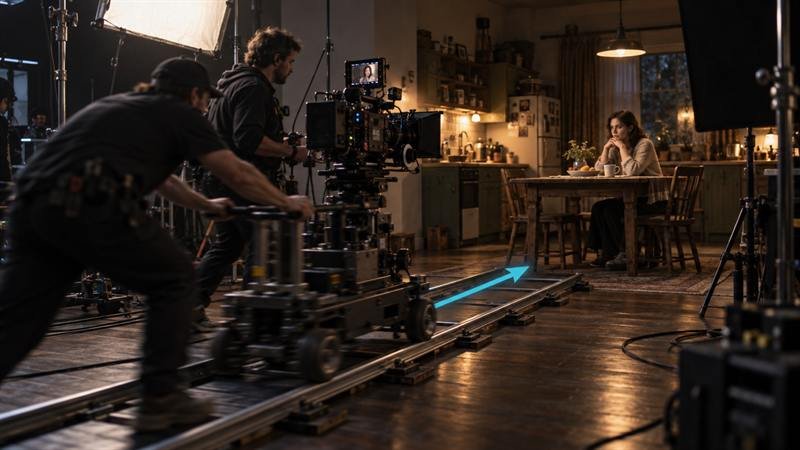
Runway's prompting guide says video models tend to add motion, so you should describe the camera move you want (checked November 2026). If you want none, say so outright. The guide suggests stating that a locked-off camera stays perfectly still.
Google's guide lists pan, dolly, crane and aerial shots as camera examples. It does not say how many moves to use in one prompt (checked November 2026). Pippit's article fills that gap with advice: start with one main camera behaviour. Two compatible moves can work, but conflicting ones often cause drift or sudden reframing. That is a vendor's opinion, so treat it as a sensible starting rule and test it yourself.
My advice is the same: one move first. Add a second only when the first shot works. For wording on each move, see Camera moves for AI video: a working vocabulary.
The still camera is a choice, written down. Without that line, the model may add a drift of its own.

Image to video: describe the motion, not the picture
When you start from an image, the picture already sets the look. Your prompt should add what changes. Our post on image to video prompts goes deeper on this.
Runway's pattern for image to video joins the camera motion and the subject's action in one sentence, with "as" between them (checked November 2026).
There is a real split of advice here. In the same forum thread, a commenter says to describe a state, such as standing on the pavement, rather than an action, especially for image to video. Runway's guide says to focus on motion.
Here is how I would choose. If the image already shows the subject mid-pose and the model keeps inventing moves, a state can calm it down. If the clip sits still and you want life, name one small action. Test both on the same image.
Runway also warns against conflicting cues. A parked subject paired with motion blur in the input image can add unwanted motion (checked November 2026). Check that your image and your verb agree.
Before and after: a vague action against a clear one
Take the pool example. Here is the version that invites trouble:
"Climbs up" has no start and no end. Is he at the ladder, on the edge or already out? The model guesses, and the guess can run backward.
Here is a version with one verb that has a clear end point, and one camera behaviour:
What each part does:
- Hands on the pool edge sets the start, so the model knows where the move begins.
- Pulls himself out onto the tiles sets the end, so the move has a direction.
- Locked-off camera removes the chance of a surprise reframe.
I can't promise this gives the result you want on every model. It gives the model less to guess, and that is the point.
Split a multi-step idea into shots
Say your idea is: a man climbs out of the pool, dries off, puts on a shirt and walks away. That is four actions. Pippit's article says that for a brief with many steps you should make separate shots and join them in editing, because one generation has to fit in too much motion (checked November 2026).
Write one prompt per shot:
- Shot one: he pulls himself out onto the tiles. Camera still.
- Shot two: he rubs a towel over his hair. Camera slowly pushes in.
- Shot three: he walks away from the camera along the poolside. Camera still.
You keep control of each beat. If shot two fails, you redo only shot two. For keeping the same person across shots, read How to Keep the Same Character Across AI Video Shots.
Frame Juice Motion helps you build video prompts with one action and one camera behaviour, step by step.
What to skip, and a checklist before you render
Skip these:
- Feelings and outcomes as the action. They give the model nothing to show.
- Two camera moves that pull against each other, such as a fast push in and a wide pull back.
- Long chains of "then" inside one prompt.
- A busy subject with a busy camera. Let one of them be calm.
Before you spend credits, check:
- Is there one verb that can unfold within the clip?
- Does it have a clear start and end?
- Is there one camera behaviour, or an outright still camera?
- If you start from an image, does the verb agree with the picture?
- Does the idea need more than one shot?
For more checks like this, see Five checks before you spend credits on AI video.
The sources above are vendor guides and a forum thread. Their rules are opinion, not law, and models change. Run a short test of your own before you trust any of them.