1. Home
  2. Blog
  3. Image
Image

Midjourney vs Flux vs Stable Diffusion vs GPT Image: Prompt Formats Compared

Hullo Creative Studios · 6 min read
Midjourney Vs Flux Vs Sd Prompts, illustration for the hullo3d blog

Copy a great Midjourney prompt into Flux and it often gets worse. Paste a Stable Diffusion prompt into GPT Image and half of it turns into noise. It's not that one model is smarter. Each one was built to read prompts differently, so the same idea needs to be written four ways.

Here's how each of the big four wants to be spoken to.

Syntax and features change often. Check each tool's current documentation before relying on a specific parameter.

The idea we'll translate

One scene, written as a list of decisions rather than a sentence for any particular model:
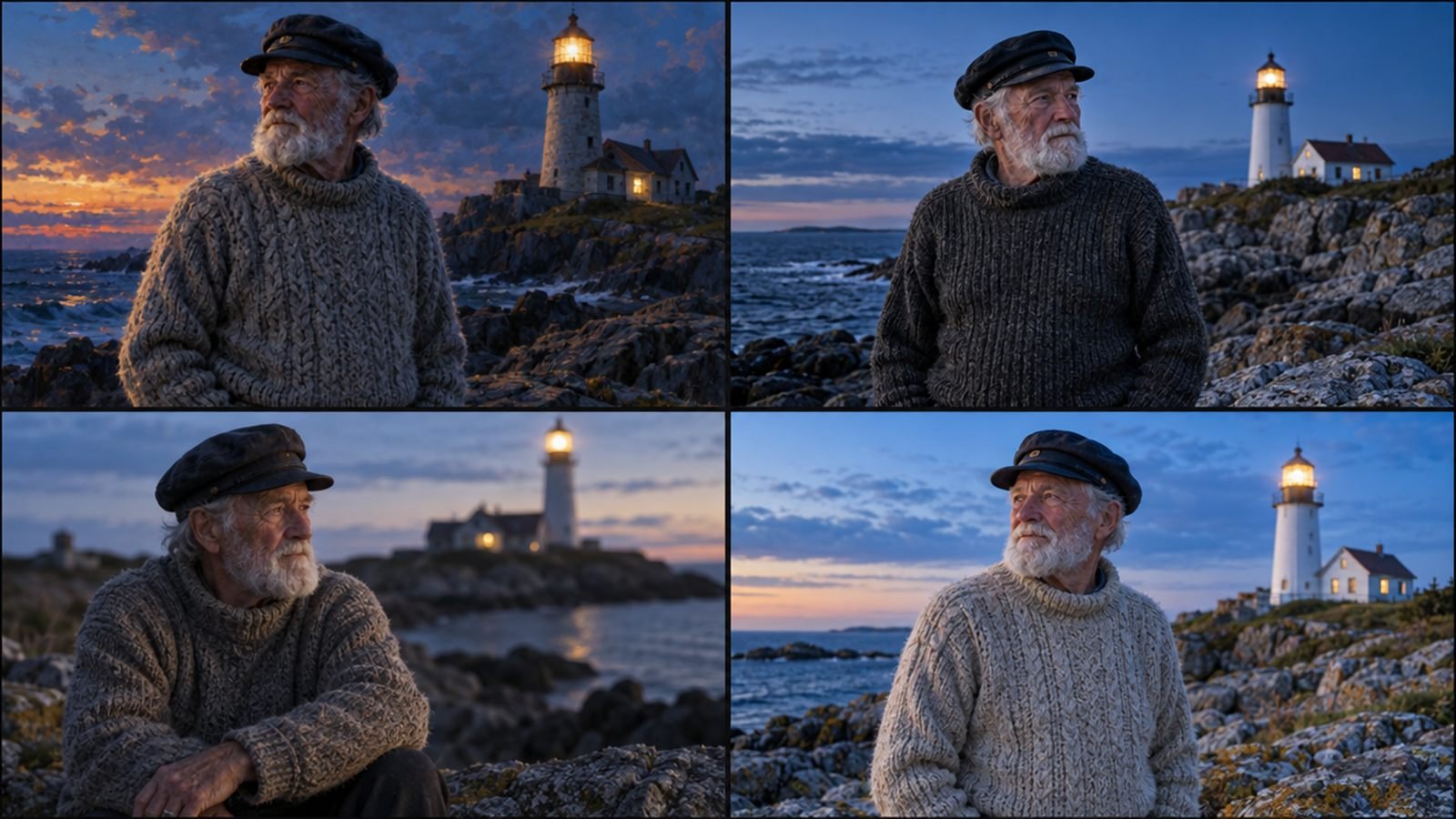
An old lighthouse keeper on a rocky coast at dusk, medium shot, 35mm, soft blue-hour light with the lighthouse lamp glowing, Kodak Portra 400, muted cold grade.
Medium shot of an old lighthouse keeper in a wool sweater on a rocky coast at blue hour, with a glowing lighthouse behind him
The idea itself, built from the same decisions: medium shot, 35mm, blue hour, Portra and a muted grade. These are the parts you rewrite for each model. Made with GPT Image from a prompt built with Frame Juice Image settings: Medium Shot, Eye Level, 35mm, f/2.8, Blue Hour, Editorial, Kodak Portra 400.

The prompt behind this image:

sharp subject: an old lighthouse keeper with a weathered face, grey beard and dark wool sweater standing on a rocky coast at dusk, blurred background: a white lighthouse with its lamp glowing above a calm dark sea, medium shot, waist-up framing, eye level camera angle, neutral natural perspective, 35mm prime lens, natural human perspective, slight environmental context, minimal distortion, f/2.8 aperture, pleasant background blur, sharpness on subject, blue hour twilight lighting, cool blue ambient light, soft diffused sky, editorial color grade, clean neutral tones, slightly desaturated, high-end magazine aesthetic, Kodak Portra 400 color negative film, warm lifted shadows, creamy flattering skin tones, fine grain structure, professional photography, highly detailed, photorealistic.

Midjourney: short, dense, plus parameters

Midjourney reads prompts well as compact descriptive phrases. Settings go at the end as parameters, not in the description.

  • Aspect ratio is a parameter, for example --ar 2:3. Writing “vertical” in the text does far less.
  • Stylisation is controlled with --stylize (or --s). Lower values follow your words more literally. Higher values add more of Midjourney's own taste.
  • Exclusions use --no, for example --no text, watermark.
  • A raw style option reduces the default beautification, which helps with photographic realism.
old lighthouse keeper on a rocky coast at dusk, medium shot, 35mm lens, blue hour light, lighthouse lamp glowing, Kodak Portra 400, muted cold grade --ar 3:2 --style raw --s 100 --no text

Stable Diffusion: tags, weights and a negative prompt

Stable Diffusion models, and the many fine-tunes built on them, were largely trained on tag-style captions. They respond well to comma-separated phrases in priority order.

  • Weights boost or reduce a term: (glowing lighthouse lamp:1.3).
  • A separate negative prompt field is where exclusions go: blurry, plastic skin, text, watermark, oversaturated.
  • Size is set as width and height in the interface, not in the prompt.

Order matters more here than anywhere else. Put the subject first and the style last.

old lighthouse keeper, rocky coast, dusk, medium shot, 35mm, blue hour, (glowing lighthouse lamp:1.3), Kodak Portra 400, muted cold grade, film grain
Negative: blurry, plastic skin, text, watermark, oversaturated

Flux: natural sentences

Flux understands full, descriptive English well and rewards clear sentences over keyword lists.

  • Write it the way you'd brief a photographer.
  • Keep exclusions out of the prompt, or phrase them positively (an empty sky rather than no birds). Negative wording can accidentally add the thing you named.
  • Set aspect ratio in your tool's size settings.
A weathered lighthouse keeper stands on a rocky coast at dusk, photographed in a medium shot on a 35mm lens. Soft blue-hour light fills the scene and the lighthouse lamp glows behind him. Shot on Kodak Portra 400 with a muted, cold grade.

GPT Image: conversational and literal

GPT Image follows instructions closely and handles long, specific descriptions, including text you want rendered in the image.

  • Describe it conversationally, even with context: Create a photograph of…
  • Be explicit about layout: where the subject sits, what's in the background, what should stay empty.
  • It is usually good at readable text, so put exact wording in quotes if you need a sign or a title.
  • Choose size and orientation in the tool's options.
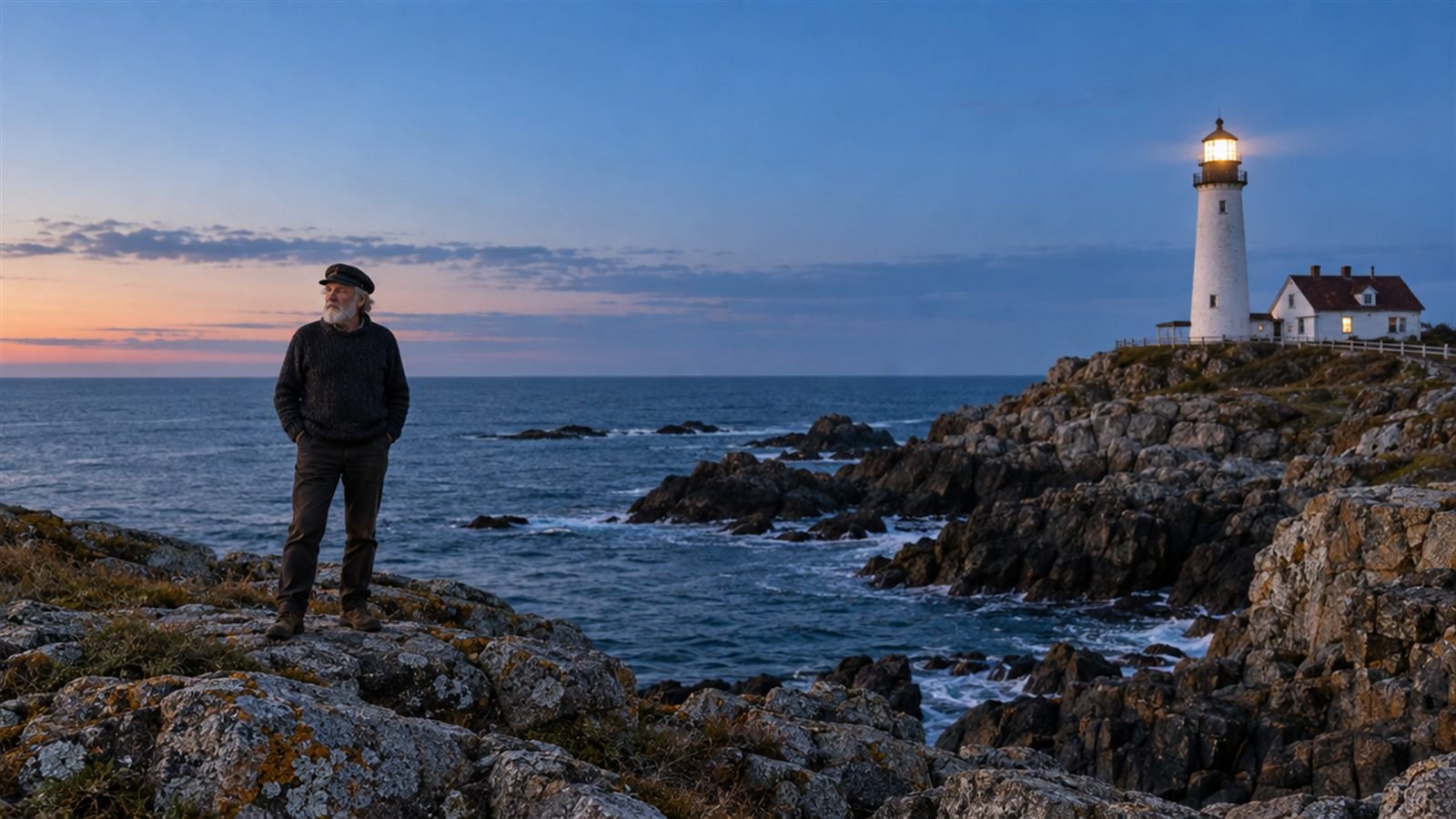
Create a documentary photograph of an old lighthouse keeper standing on a rocky coast at dusk. Frame him in a medium shot on the left third, as if taken with a 35mm lens. Behind him on the right, the lighthouse lamp glows against a soft blue-hour sky. Make it look like Kodak Portra 400 film with a muted, cold grade. Keep the sky clear of birds and text.
Wide shot of a small figure on the left third of a rocky coast at blue hour, with a lighthouse glowing on the right under an empty sky
Layout spelled out: the keeper on the left third, the lamp on the right, an empty sky. GPT Image follows placement like this closely. Made with GPT Image from a prompt built with Frame Juice Image settings: Wide Shot, Rule of Thirds, 35mm, f/8, Blue Hour, Kodak Portra 400, Clear.

The prompt behind this image:

sharp subject: an old lighthouse keeper in a dark wool sweater standing small on the left third of a rocky coast at dusk, blurred background: a white lighthouse on the right with its lamp glowing against an empty blue-hour sky, wide shot, subject small within environment, rule of thirds composition, subject placed on a third intersection, 35mm prime lens, natural human perspective, slight environmental context, minimal distortion, f/8 aperture, everything sharp front to back, ideal for product and landscape, blue hour twilight lighting, cool blue ambient light, soft diffused sky, Kodak Portra 400 color negative film, warm lifted shadows, creamy flattering skin tones, fine grain structure, clear weather, crisp clean air, high visibility, professional photography, highly detailed, photorealistic.
Write the idea once, get every format

Frame Juice Image Pro builds the prompt once from your choices and writes it in each model's format with one click: Midjourney, Stable Diffusion, Flux, GPT Image and Gemini, or JSON.

See Frame Juice Image

Side-by-side summary

  • Structure. Midjourney: compact phrases. Stable Diffusion: prioritised tags. Flux: full sentences. GPT Image: conversational instructions.
  • Aspect ratio. Midjourney: --ar. The others: tool settings.
  • Exclusions. Midjourney: --no. Stable Diffusion: the negative prompt field. Flux and GPT Image: describe the positive version instead.
  • Emphasis. Stable Diffusion: numeric weights. Midjourney: word order and multi-prompt weights. Flux and GPT Image: say it clearly and early.

What stays the same everywhere

The decisions don't change between models: subject, shot size, angle, lens, light, film and grade. Only the grammar does. Build the idea once in terms of those decisions, then translate the grammar for whichever tool you're using that day. Our guide to choosing a look first covers how to make those decisions, and the film stock guide lists stock names that work across all four.
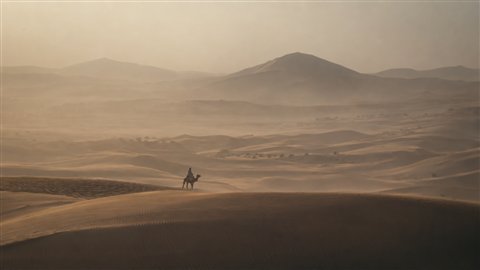
Extreme wide shot of a lone rider on a camel crossing hazy desert dunes with mountains behind
Desert Epic, an image look in Frame Juice Image. The look is a set of decisions about shot, light and colour, and those stay the same whichever model you write them for.

Which one should you use?

  • Midjourney for polished aesthetics with little effort.
  • Stable Diffusion when you want total control and local generation.
  • Flux for strong prompt adherence and natural language.
  • GPT Image when you need precise layout or text inside the image.

Many creators use two or three. That's exactly why a model-agnostic prompt habit pays off: decide the picture once, then speak each model's language.
Free guide

Make your AI images look photographed.

Get the 38-page Frame Juice Guide: prompt order, looks, light and lens, then how to turn the still into a clip. With 71 tips for 15 AI generators. See inside

Free. One email. Instant download.

We keep your email to give you this guide and, only if you tick the box, to send you news. See the privacy page.

Keep reading

More articles